

As summer draws to a close across Portugal, students from Secondary School to University campuses in Lisbon, Porto, and Coimbra are preparing for a new academic year. Whether you are taking notes in a crowded lecture hall, analyzing complex datasets, rendering 3D graphic models, or unwinding with friends over an online multiplayer match after hours, a reliable laptop is the single most important tool in your academic arsenal.
Buying a new device is a major investment, but prepping for campus doesn’t have to break the bank. Worten Portugal remains the leading destination for tech shoppers across the country, rolling out massive savings during its annual campaign season.
By tapping into Worten’s exclusive Descontos Diretos (Direct Discounts), students and parents can secure top-tier portable hardware at significantly reduced prices without dealing with tedious mail-in rebates or complicated store credits.
Whether you are seeking a featherweight ultrabook with all-day battery life or a high-performance budget gaming laptop capable of handling heavy engineering software, this guide breaks down everything you need to know to land the ultimate tech deal at Worten.
What to Look For: Essential Laptop Specs for Today’s Students
Before diving into specific models, it is essential to understand what makes a laptop “student-ready.” Buying purely based on price or aesthetics often leads to frustrating slowdowns mid-semester. Here are the core specifications to prioritize:
- Processor (CPU): Look for at least an Intel Core i5 (12th Gen or newer), AMD Ryzen 5 (5000/7000 series or newer), or Apple’s M-series chips (M1/M2/M3). These processors offer the perfect balance between multi-tasking speed and thermal efficiency.
- Random Access Memory (RAM): While 8GB of RAM handles basic web browsing and word processing, 16GB of RAM has become the sweet spot for modern college students. It ensures seamless performance when running dozens of browser tabs, PDF readers, Spotify, and messaging apps simultaneously.
- Storage (SSD): Never settle for old-fashioned mechanical hard drives or limited eMMC memory. A minimum of 512GB NVMe Solid State Drive (SSD) ensures your laptop boots up in seconds, launches applications instantly, and provides ample space for project files, software suites, and media libraries.
- Battery Life: Aim for a rated battery life of 8 to 12+ hours. You shouldn’t have to scramble for an open wall socket in the middle of an important lecture or group study session at the university library.
- Form Factor & Weight: For daily commuters traveling by metro, bus, or train, aim for a screen size between 13.3 inches and 15.6 inches, with a total weight under 1.6 kg.
1. Featherweight Champions: Ultrabooks for Campus Mobility & All-Day Power
For humanities, business, law, and social science majors, mobility is king. You need a device that slides effortlessly into a backpack, powers on instantly, and lasts through an entire day of back-to-back classes without requiring a heavy charger.
Apple MacBook Air (M2 / M3)
The MacBook Air remains the undisputed gold standard for lightweight student computing. Powered by Apple’s custom silicon, it operates completely silently thanks to a fanless design while delivering up to 18 hours of real-world battery life.
- Why Students Love It: The crisp Retina display makes reading long PDFs comfortable, while the lightweight aluminum chassis easily withstands daily campus transit.
- Who It’s For: Students embedded in the Apple ecosystem who prioritize battery endurance, silent operation, and long-term resale value.
ASUS Zenbook & Vivobook Series
ASUS has mastered the art of ultra-portable Windows machines. The Zenbook lineup features vibrant OLED displays that deliver rich contrast and deep blacks, perfect for students who double their laptop as a primary entertainment screen for streaming movies in their dorm.
- Why Students Love It: Slim profiles, sturdy military-grade durability testing, and ultra-fast charging capabilities (reaching 60% charge in just 49 minutes).
- Who It’s For: Windows enthusiasts looking for premium build quality, exceptional displays, and featherweight portability.
Lenovo IdeaPad Slim & Yoga Series
Lenovo consistently delivers some of the best keyboard typing experiences on the market. The IdeaPad Slim series provides robust aluminum top covers, webcam privacy shutters, and excellent energy efficiency at a mid-tier price point.
- Why Students Love It: Ergonomic typing comfort during long essay sessions and clean, professional design aesthetics.
- Who It’s For: Practical shoppers who want dependable day-to-day performance without paying premium luxury prices.
2. Power & Play: Budget Gaming Laptops for STEM, Design & Gaming
For students enrolled in Computer Science, Engineering, Architecture, Multimedia Design, or Data Analytics, standard ultrabooks often lack the sheer graphics muscle needed to run heavy software like AutoCAD, MATLAB, Blender, Premiere Pro, or visual coding environments. Furthermore, many students want a single versatile machine that transitions seamlessly from library research during the day to immersive 1080p gaming at night.
Budget-conscious gaming laptops have evolved dramatically in recent years. They no longer look like bulky, glowing spaceships, modern iterations feature sleek chassis, efficient cooling systems, and surprisingly accessible price tags.
Lenovo LOQ & Legion Series
Lenovo’s LOQ line represents one of the best entry-to-midrange gaming values available at Worten. Equipping dedicated NVIDIA GeForce RTX 3050, RTX 4050, or RTX 4060 graphics cards alongside high-refresh-rate 144Hz displays, these laptops handle both heavy rendering tasks and demanding esports titles with ease.
- Key Advantage: Advanced thermal cooling systems prevent thermal throttling during long rendering jobs or high-intensity gaming sessions.
HP Victus Series
HP’s Victus lineup offers a subtle, understated design language that fits in perfectly in a formal classroom or corporate internship setting. Under the hood, however, it packs powerful AMD Ryzen or Intel Core processors coupled with dedicated graphics hardware.
- Key Advantage: Excellent price-to-performance ratio, making high-end dedicated GPUs accessible on a strict student budget.
ASUS TUF Gaming Series
Built like a tank, the ASUS TUF series meets military-grade durability standards (MIL-STD-810H). It is designed to survive accidental bumps, drops, and intense daily wear and tear.
- Key Advantage: Expandable storage and memory slots allow students to easily upgrade their RAM or add a second SSD down the line as their workload grows.
How to Maximize Your Savings at Worten Portugal
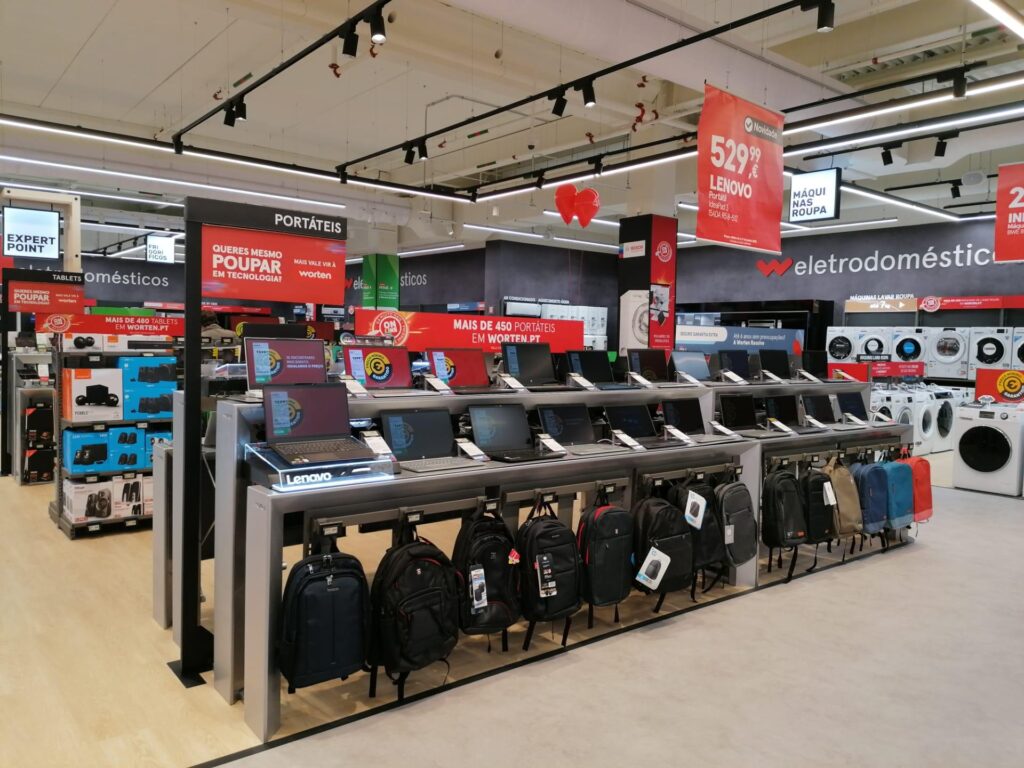
Finding the right hardware is only half the battle, getting it at the absolute lowest price completes the winning equation. Worten offers several structured savings channels that every smart shopper should leverage during the back-to-school buying season.
1. Capitalize on “Descontos Diretos” (Direct Discounts)
Unlike traditional promotional offers that require filling out rebate forms or collecting store vouchers for future purchases, Worten’s Descontos Diretos immediately reduce the retail sticker price at checkout. When browsing online or in-store, look for the dedicated discount tags across selected laptops, monitors, and peripherals. These instant price cuts frequently stack savings of 10%, 20%, or up to 30% off original retail values.
2. Take Advantage of Campaign Hubs
During peak shopping periods, Worten aggregates all student-focused promotions into dedicated landing hubs. Be sure to check the main Informática em Worten.pt section to compare side-by-side technical specs across major brands. To view curated seasonal price drops, trade-in bonuses, and bundled accessory packages, navigate directly to the official Regresso às Aulas na Worten campaign page.
3. Trade-In Programs (Retomas Worten)
If you have an old, functioning laptop, tablet, or smartphone lying around, Worten’s trade-in service (Retomas) allows you to evaluate your old device in-store. The assessed value is issued as immediate credit toward your new student laptop purchase, compounding your overall savings.
4. Flexible Payment Financing
Understanding that tech upgrades can strain student budgets, Worten provides flexible financing options (such as interest-free installments via Universo or partner credit solutions). This allows families to spread the cost over several months without incurring hefty finance fees.
Matching Your Academic Major to the Right Laptop
To simplify your choice, review the quick reference breakdown below matching common field of study demands to optimal laptop hardware categories:
| Student Profile / Field of Study | Recommended Laptop Category | Ideal Specifications | Key Features to Prioritize |
| Humanities, Law, Business & Social Sciences | Ultra-Portable Ultrabook | Intel Core i5 / Apple M2 / Ryzen 5, 16GB RAM, 512GB SSD | Weight < 1.4 kg, 12+ Hour Battery, Comfortable Keyboard |
| Engineering, Architecture, 3D Design & Computer Science | Budget Gaming / Performance Laptop | Intel i7 / Ryzen 7, 16GB–32GB RAM, Dedicated RTX GPU | Powerful Cooling, High Multi-Core CPU Performance, Dedicated VRAM |
| Multimedia, Film & Graphic Arts | High-Color Display Laptop / MacBook | Apple M2/M3, Ryzen 7, 16GB RAM, 1TB SSD | 100% sRGB / DCI-P3 Color Accuracy, High Resolution (2K/4K) |
| Secondary School & General Studies | Everyday Value Laptop | Intel i3/i5 or AMD Ryzen 3/5, 8GB–16GB RAM, 256GB–512GB SSD | Durable Chassis, Affordable Price Point, Reliable Webcam |
Frequently Asked Questions (FAQs)
Is 8GB of RAM still enough for a college student laptop?
While 8GB of RAM can suffice for light web browsing and basic text editing, 16GB of RAM is strongly recommended for university students. 16GB ensures your system remains responsive when running modern web browsers with numerous tabs alongside productivity apps and system security software.
Should I choose Windows or macOS for university?
It depends heavily on your degree program. macOS excels in battery life, physical build quality, and integration with iOS devices—making it ideal for humanities, business, and creative art majors. However, certain engineering, software development, finance, and specialized scientific programs rely on software natively built for Windows. Always check your university department’s recommended software list before committing to an operating system.
How do I know if a laptop qualifies for “Descontos Diretos”?
On Worten’s website and physical store displays, qualifying items are marked with prominent promotional badges indicating instant percentage or euro discounts. The discounted price is automatically applied at the checkout register without needing to enter promotional coupon codes.
Can I upgrade my laptop’s RAM and storage later?
Most modern Windows gaming laptops (like the Lenovo LOQ or ASUS TUF) allow users to easily unscrew the bottom panel to add more RAM or an extra SSD. However, most thin-and-light ultrabooks and all modern Apple MacBooks have their RAM and storage soldered directly to the motherboard. If you buy an ultrabook, purchase the highest memory and storage capacity your budget allows upfront.