Moving in together or remodeling a shared space is often pitched as one of the most romantic milestones in a relationship. It is the physical manifestation of building a life together, blending two worlds into one cohesive sanctuary. But as any couple who has ever stood in the middle of a furniture showroom can attest, the reality is frequently less about romantic synergy and more about heated negotiations. Suddenly, the person you love has inexplicable opinions about the saturation level of a mustard yellow armchair, and you are entirely unable to comprehend why they think a massive, dark leather sectional belongs in your airy, light-filled living room.
The clashing of personal aesthetics is a tale as old as time. Stop arguing over the sofa color! The friction does not usually stem from a lack of love; it stems from a lack of shared vision and the inability to effectively communicate spatial ideas. Fortunately, we live in an era where technology can serve as the ultimate mediator. Enter Planner 5D and its transformative iOS “Collaborate” feature. This tool is changing the way couples approach home design, turning stressful arguments into a gamified, productive, and genuinely fun shared experience.
The Psychology of Decorating Together
Before diving into the technological solution, it is vital to understand why couples fight over home decor in the first place. When you decorate a home, you are not just picking out wood finishes and textiles; you are projecting your identity, your need for comfort, and your aspirations onto a physical space.
When your partner rejects your favorite coffee table, it can subconsciously feel like a rejection of your taste or your background. Furthermore, most people lack the spatial reasoning skills required to accurately visualize how a 2D floor plan or a single piece of furniture will look in a complete 3D room. You might say “mid-century modern,” and picture clean lines and warm teak wood. Your partner hears “mid-century modern” and pictures an outdated, sterile waiting room from the 1960s. Words fail us when it comes to interior design.
This is the exact point where the design process breaks down. Without a shared visual language, couples are forced to guess, compromise blindly, or worse, buy expensive furniture only to realize it looks terrible once it arrives. The anxiety of making a costly mistake only heightens the tension, leading to design paralysis where the living room remains empty for months.
Visualization: The Great Equalizer
The only way to bridge the gap between two different imaginations is to take the design out of your heads and put it onto a screen where both of you can see it, manipulate it, and evaluate it together.
Planner 5D is a powerful, user-friendly home design tool that allows anyone to create detailed 2D and 3D floor plans. But the true magic for couples lies in its mobile accessibility. Utilizing the iOS “Collaborate” feature transforms the solitary act of digital drafting into a multiplayer experience. Instead of one person hunched over a laptop dictating the design while the other looks over their shoulder, both partners can actively participate on their own devices.
Imagine sitting on your current, arguably ugly sofa, each holding an iPad or iPhone. You are both logged into the exact same Planner 5D project. When you drag a sleek, emerald green velvet sofa into the digital living room, your partner sees it instantly appear on their screen. If they think it is too large, they can use their device to scale it down or swap it out for a loveseat. It is real-time, visual negotiation without the emotional friction.
Deep Dive: The iOS Collaborate Feature
The iOS Collaborate feature in Planner 5D leverages cloud syncing to allow multiple users to work on the same model simultaneously. This is a game-changer for couples because it democratizes the design process. One partner does not have to be the “driver” while the other is relegated to being the “passenger.”
Real-Time Syncing: Every wall moved, every window resized, and every piece of furniture placed is updated in real-time across connected devices. This immediate feedback loop is crucial. You can test out radical ideas—like painting an accent wall charcoal black, and get an immediate reaction. If it looks too gloomy, a simple “undo” or a quick tap to change the color to a soft sage green resolves the issue in seconds. No paint wasted, no arguments had.
Shared Ownership: By co-designing the digital model, both partners take ownership of the final result. When you both have a hand in placing the furniture and adjusting the lighting, the final layout isn’t “his” or “hers”, it becomes “ours.” This shared ownership significantly reduces resentment and ensures both individuals feel their tastes are represented in the home.
A Step-by-Step Guide to Co-Designing Your Living Room
Ready to end the furniture wars? Here is how you and your partner can use the iOS Collaborate feature to design a living room you both love.
Step 1: Set the Stage and the Ground Rules Before opening the app, sit down and discuss your core needs for the space. Does the living room need to function as a home office during the day? Is it primarily for entertaining guests or for cozy movie nights? Establishing the functional requirements of the room creates a set of objective criteria you can use to evaluate your design choices later.
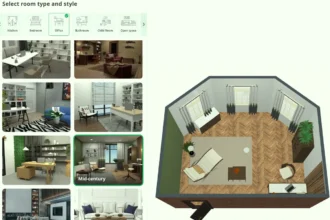
Step 2: Map the Reality Together Download Planner 5D on both of your iOS devices. Create a new project and use the collaboration feature to share access. Start by building the architectural shell of your living room. You can use the Smart Catch feature on your iPhone to scan the room and automatically generate a floor plan, or you can manually draw the walls, adding doors and windows to match reality. Doing this together ensures you both agree on the basic constraints of the space.
Step 3: Establish the Zones Once the room is mapped, avoid the temptation to immediately start dropping in decorative items. Instead, work together to establish functional zones. Use basic geometric shapes or placeholder furniture to block out areas. Where is the main seating area? Where will the television go? Is there space for a reading nook? By focusing on the flow of traffic and spatial relations first, you bypass aesthetic arguments and focus purely on logic and comfort.
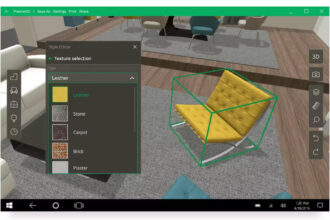
Step 4: The Draft Phase (The “Sofa Color” Solution) Now comes the fun part. Start browsing the Planner 5D catalog, which features thousands of customizable items. This is where the Collaborate feature shines.
Let’s say you want a modern white sectional, but your partner insists on a traditional brown leather sofa. Instead of arguing, test both. Drop the white sectional into the 3D space. Look at it from multiple angles on your respective screens. Then, swap it for the brown leather one. You might discover that the white sectional looks too stark against your wall color, or your partner might realize the brown leather makes the room feel cramped and dark.
Because you can customize the textures, colors, and materials of almost any item in Planner 5D, you can easily find a middle ground. Perhaps you compromise on a warm, tan fabric sofa with modern, clean lines. You found the solution visually, together, without a single raised voice.
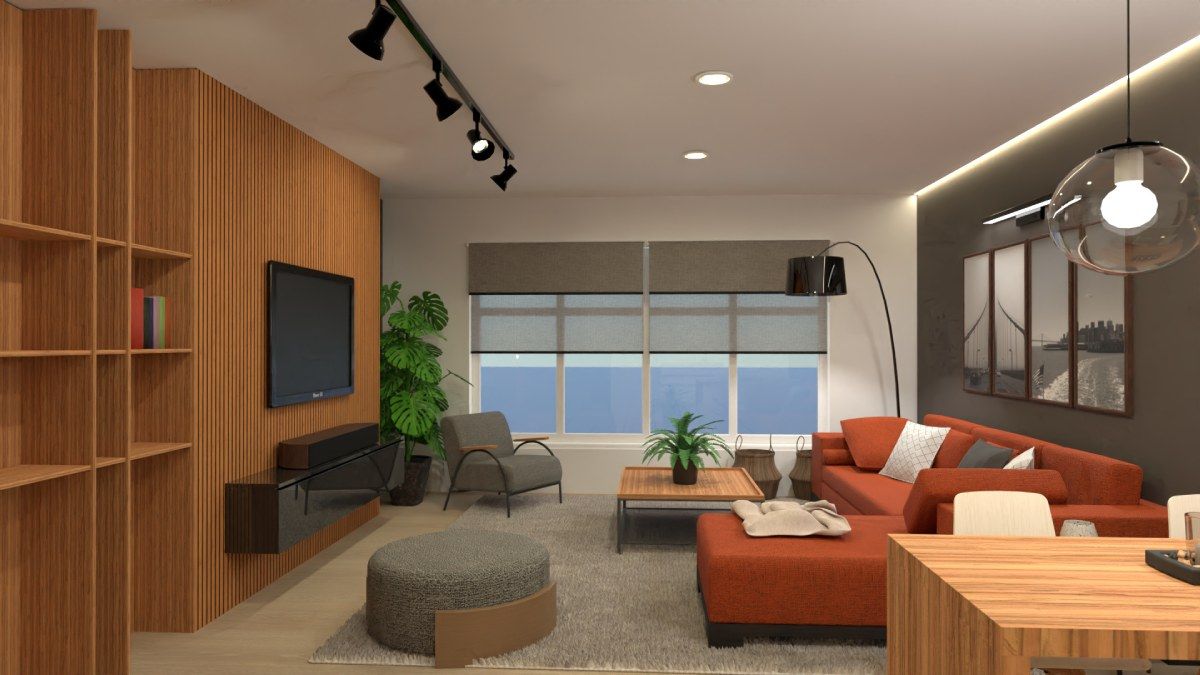
Step 5: Layering and Personalization Once the anchor pieces (sofa, TV stand, rug) are agreed upon, you can begin layering the room with lighting, art, and plants. Since you are working simultaneously, one of you can focus on finding the perfect floor lamp while the other browses for wall art. You can try out different combinations of curtains, experiment with the placement of indoor plants to breathe life into the room, and test various lighting fixtures to see how they impact the mood of the space in 3D mode.
Advanced Design Strategies for Couples
To get the absolute most out of your co-designing sessions on Planner 5D, consider employing these strategic approaches:
The “Yes, And…” Technique: Borrow a rule from improvisational comedy. When your partner places an item in the room that you are unsure about, do not immediately delete it. Instead, say “Yes, and…” and try to make it work. Adjust the color, move it to a different corner, or pair it with an item you love. You might stumble upon an eclectic design combination that neither of you would have thought of individually.
Create a “Design Parking Lot”: If you find pieces of furniture or decor that you absolutely love but cannot seem to fit into the current layout, drag them outside the walls of your floor plan. This creates a visual “parking lot” or mood board of approved items that you can pull from as the design evolves.
Leverage Augmented Reality (AR): Planner 5D on iOS includes a fantastic AR feature. Once you have built your model and agreed on a layout, use your iPhone or iPad camera to project your digital design into your actual, physical living room. Walk around the room together. See how much clearance there actually is between the virtual coffee table and the physical TV stand. Seeing your shared digital creation overlaid onto your real world is often the final push needed to lock in a decision with confidence.
Harmony in the Home
Designing a home with your partner should be an act of joyful creation, not an exercise in frustration. The arguments over sofa colors, rug patterns, and coffee table dimensions usually evaporate the moment you can actually see what the other person is talking about.
By utilizing Planner 5D and the iOS Collaborate feature, couples can strip away the ambiguity of interior design. You transform a potential battleground into a shared digital sandbox. It allows you to experiment freely, fail safely, and ultimately construct a space that perfectly reflects the unique blending of your two lives. When you finally sit down on that new sofa in your newly redesigned living room, you will both know that it is exactly where you want to be, because you built it together.