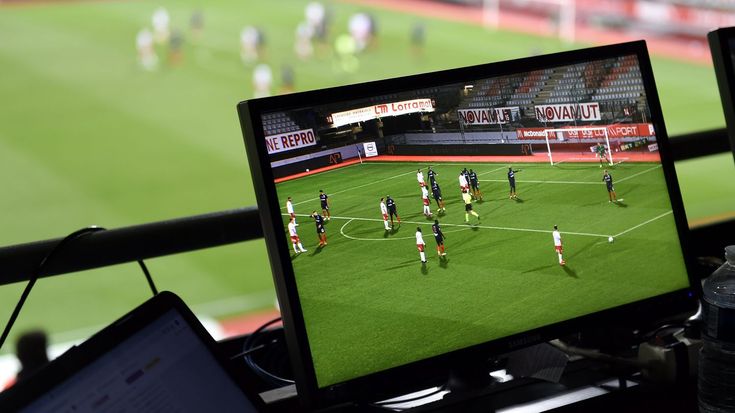
Watching several live games at the same time can be useful when major sporting events overlap. DAZN Multiview is designed for exactly this situation, allowing eligible subscribers to combine multiple live events on a single screen rather than switching between separate streams. Depending on the device and market, viewers can watch up to four live events simultaneously, while mobile devices may support up to two.
For sports fans following NFL games, football, hockey, or other live competitions, the feature provides a more flexible way to follow simultaneous action. However, Multiview availability, supported devices, subscription requirements, and the number of streams can vary by market and device.
What Is DAZN Multiview?
DAZN Multiview is a multi-screen streaming feature that places several live events into one viewing interface. Instead of opening multiple browser tabs or switching between games, viewers can see multiple feeds together on the same screen.
DAZN currently supports Multiview for the NFL, NHL and other selected live sports. The feature can display up to four live events on compatible platforms.
This can be particularly useful during busy sports schedules when several games start around the same time.
What Can You Do With Multiview?
Depending on your device and subscription, Multiview allows you to:
- Watch multiple live events on one screen.
- Add or remove available games.
- Switch between audio feeds.
- Change the event you are actively following.
- Use a customized combination of live games on supported devices.
- Choose pre-selected game combinations where the feature is offered.
Only one event’s audio plays at a time, so you can visually monitor several games while listening to the game that matters most at that moment.
How Does DAZN Multiview Work?
Using DAZN Multiview is relatively straightforward. Start a compatible live event and look for the Multiview option. From there, you can add other available events to the viewing layout.
Step-by-Step Setup
- Start watching a live event.
- Select the Multiview icon.
- Choose additional live events using the + option.
- Remove an event using the − option if you want to replace it.
- Select a game tile to change the active audio.
- Continue watching the selected games within the same screen.
The first event selected becomes the main view, while the interface automatically adjusts the layout as additional events are added.
This setup means you do not necessarily need multiple browser windows or separate devices simply to watch multiple games.
How Many Games Can You Watch at Once?
The maximum number of simultaneous streams depends on the device.
| Device | Multiview capacity |
|---|---|
| Web browser | Up to 4 live events |
| Apple TV | Up to 4 live events |
| iPhone/iPad | Up to 2 live events |
| Android phone/tablet | Up to 2 live events |
DAZN’s current support information lists up to four live events on compatible web browsers and Apple TV, while iOS and Android devices support up to two. Android mobile devices require Android 13 or later for the current Multiview experience.
The exact experience can vary by market, subscription tier, operating system and hardware.
DAZN Multi-Screen Streaming on Different Devices
Device compatibility is an important consideration before relying on DAZN multi-screen streaming for a major sports day.
Web Browsers
On supported Windows and Mac browsers, viewers can build a Multiview layout with up to four live events. DAZN lists Chrome, Firefox, Safari and Microsoft Edge among supported browsers for the feature.
This can be useful if you are watching from a laptop or desktop and want to monitor several games without using multiple browser windows.
Mobile Devices
Phones and tablets provide a more portable experience, but the number of simultaneous streams is lower. Current DAZN guidance supports up to two live events on compatible iOS and Android devices.
A smaller screen also makes watching several games simultaneously less practical for detailed viewing, so mobile Multiview can be particularly useful for checking multiple games rather than closely following every play.
Apple TV and Living-Room Viewing
Apple TV can support up to four simultaneous events in supported Multiview experiences. Some other smart-TV and streaming-device implementations may instead offer curated Multiview combinations rather than the full customizable “Build Your Own” option.
This distinction matters because the Multiview experience is not identical across every connected device.
Build Your Own vs. Ready for You
DAZN’s current Multiview experience can include two different approaches: Build Your Own and Ready For You.
Build Your Own
Build Your Own lets eligible users select available games themselves and create a customized combination. On supported web and Apple TV platforms, viewers can select up to four live events.
It can be useful when you want to follow:
- Your favorite team.
- A rival’s game.
- A high-profile matchup.
- Another live event happening at the same time.
Ready For You
Ready For You provides pre-selected combinations prepared by DAZN. This option can be convenient when several important games are happening simultaneously and you do not want to manually create a viewing layout.
DAZN says curated combinations can be available through the homepage, NFL Game Pass page or schedule page, depending on the market and device.

Internet Requirements for Simultaneous Streams
Multiple live streams naturally require a reliable internet connection. DAZN’s current support documentation lists minimum connection requirements of approximately 3 Mbps for SD and 6 Mbps for HDR for the Multiview experience, although actual requirements can vary with video quality, device and network conditions.
For the smoothest sports streaming experience:
- Use a stable broadband connection.
- Prefer wired Ethernet where practical for compatible devices.
- Keep your device software updated.
- Avoid unnecessary high-bandwidth downloads while watching.
- Check your home network if video quality repeatedly drops.
Remember that internet speed alone does not guarantee a perfect stream. Wi-Fi congestion, device performance and network stability can also affect playback.
FAQs About DAZN Multiview
How many games can DAZN Multiview show at once?
On compatible web browsers and Apple TV, DAZN currently supports up to four live events simultaneously. Compatible iOS and Android devices support up to two.
Can I choose which games appear in Multiview?
Yes, where Build Your Own is supported, you can select available live events and create your own combination. Some smart TVs and streaming devices may instead provide pre-selected Ready For You combinations.
Can I hear the audio from multiple games at once?
No. Only one event’s audio plays at a time. You can switch the active audio by selecting the game you want to hear.
Does DAZN Multiview work on mobile phones?
Yes, compatible iOS and Android phones and tablets can support Multiview, with up to two live events simultaneously under the current general DAZN Multiview guidance. Android requires version 13 or later.
Do I need a paid DAZN subscription for Multiview?
Yes. DAZN’s current Multiview help documentation states that the feature is available to users with a paid subscription, with availability also depending on the relevant subscription tier and market.
Conclusion: Make More of Every Live Sports Schedule
DAZN Multiview provides a practical way to watch multiple games without constantly switching between separate streams. On compatible platforms, viewers can combine up to four live events, while mobile devices can support up to two. The ability to switch audio between games also makes it easier to keep several matches visible while focusing on one at a time.
For sports fans who regularly face overlapping schedules, DAZN multi-screen streaming can turn a busy day of live sports into one organized viewing experience.
Explore DAZN’s Multiview options and check your compatible device to start watching more live sports on one screen.